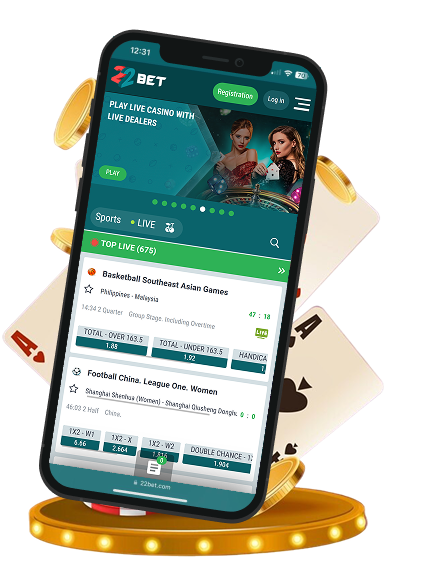
In a world where everyone leans toward low-key style and convenience, the 22Bet App feels like it was designed with today’s players in mind. It puts a full casino and sportsbook right in your pocket — without the bulk, the clutter, or the hassle.
For Kiwi players, that balance of simplicity and substance makes it stand out. The platform combines an extensive sportsbook, a lively casino, and smooth mobile performance, all in one lightweight package.
In this review, we’ll walk you through the complete 22Bet mobile experience, everything from downloads and installation to benefits and device compatibility, so you know exactly what to expect.
Mobile App for iOS
The 22Bet iOS experience brings both betting and casino games to your fingertips. Since real money gambling apps aren’t always available on the App Store, 22Bet uses a Progressive Web App (PWA) approach, letting you enjoy a native-app feel without taking up too much space.
How to Download and Install
Getting started on your iPhone or iPad is simple:
- Open Safari and visit the 22Bet website.
- Wait until the page has fully loaded and tap the “Share” button.
- Select “Add to Home Screen.”
- Press “Add” in the upper-right corner to confirm.
Once added, the 22Bet App behaves like any other app on your device, giving instant access to live betting, casino games, and the latest 22Bet Promotions.
Mobile App for Android
Android users have two ways to enjoy the 22Bet experience on their mobiles. One option is the Progressive Web App (PWA), similar to the method used for iOS, and the other is the full mobile app via an APK, which we highly recommend for the best performance.
To get the PWA, simply follow the same steps as we mentioned for the iOS users: open the website in your browser, tap “Share,” select “Add to Home Screen,” and confirm.
If you choose the mobile app, you’ll need to download the 22Bet APK file from the official website and install it manually. This method gives you full features of the app, including smooth navigation, live betting, and instant access to casino games and promotions, without any restrictions from the Google Play Store.
How to Download and Install via the Android APK
Here’s how you can download 22Bet App and get started with mobile betting and games:
- Visit the official 22Bet website using your mobile browser. Your region should automatically switch to New Zealand based on your device location.
- Go to the mobile section on the site, where you’ll see the Android download button.
- Download the “22Bet App APK” directly to your device.
- Open the downloaded file and follow the on-screen instructions to install the app.
- You’ll need to allow installation from unknown sources when prompted.
- Once installation is complete, launch the app, then register or log in to start playing.
Registration Mobile Website Version
If you don’t want to install anything, the 22Bet website is a solid option. You can access both the sportsbook and 22Bet casino right from your browser. Getting around the site is easy, and most features work well — whether you’re placing live bets, trying poker, or spinning the casino reels.
The site automatically detects your location, so currency, 22Bet bonuses, and betting markets are all tailored for New Zealand players. While performance is decent and pages load quickly, it’s not quite as fast or smooth as the mobile app.
The mobile website covers the basics, but the app offers a better overall experience. Navigation is quicker, promotions are easier to reach, and everything feels more seamless. The website is handy as a backup, but if you want the full betting and casino experience on the go, the app is the way to go.
Compatible Devices
22Bet is designed to run smoothly on a wide range of devices, making it easy for Kiwi players to jump in no matter their setup:
Android
- Operating System: 10.0 or higher
- Storage: 150 MB minimum
- RAM: At least 2 GB
- Connectivity: 4G / 5G / Wi-Fi
- Models: All smartphones and tablets from major Android brands, whether you’ve got a high-end, mid-tier, or budget device.
iOS
- Operating System: 12.0 or higher
- Storage: –
- RAM: –
- Connectivity: 4G / 5G / Wi-Fi
- Models: iPhone X and newer, plus all iPads running iOS 12.0 or higher.
Registration Why Should You Download the App?
What makes the app 22Bet stand out is its balance between convenience and feature richness. Navigation is intuitive, letting you switch between betting and casino modes effortlessly.
The 22Bet Casino offers hundreds of slots and table games from leading software providers. The sportsbook section covers everything from rugby and cricket to esports and basketball.
Exclusive mobile promotions make the experience even more exciting, whether you’re chasing free spins, bonus bets, or cashback offers. Transactions are quick, safe, and compatible with popular New Zealand payment methods. Push notifications keep you in the loop, ensuring you never miss a big match, a new game release, or a hot promotion.
Common Questions
Use the PWA method: visit the 22Bet website in Safari, tap “Share,” select “Add to Home Screen,” and confirm.
Yes, downloading the app via the Android APK is safe, as long as you get it directly from the official website. Avoid third-party sources to protect your device from security risks.